

What Makes an IPTV Service Reliable: Servers, Uptime and Buffering
Every IPTV seller says it's reliable. We looked at what "reliable" means once a live game is on: where a stream can fail between the server and your TV, why it fails on busy evenings, what 58 Reddit threads about buffering blame, and which promises no outsider can check. Then we turned it into a test you can run during a free trial.
Who wrote this: IPTVZ sells IPTV, so we have a stake in this topic. We don't name or rank any other seller, panel or marketplace. We read public Reddit threads without an account and quote users without their usernames. Where we talk about our own service, we say what we tested and how.
The short answer: a reliable IPTV service holds up when everyone is watching
A reliable IPTV service is one that keeps your channels playing at the times you actually watch, stays smooth during live sports and busy evenings, switches channels in a few seconds, and gets a broken stream working again quickly. You can't judge that from a sales page: more than half the seller websites we checked promise "zero buffering" or "99.9% uptime", and nobody outside the company can check either claim. The only way to know is to test the service at a busy time, on your own TV and internet, before you pay for a long plan.
The key point
Reliability isn't a feature a seller adds. It's how the whole chain holds up under load, from the seller's servers to your Wi-Fi, and the busiest hour is the only fair test.
This guide is part of our series on finding the best IPTV service in the USA. If your IPTV is buffering right now, our IPTV buffering fixes will help faster than this guide.
What "reliable" means for an IPTV service
When people search for a reliable or stable IPTV service, they usually mean one thing: "I don't want it to freeze during the game." That's the core of it, but reliability has a few more parts, and a service can be good at one and poor at another.
- It plays when you watch. Not on average, and not at 3 a.m. when nobody is online. Sunday afternoon in football season, Saturday fight nights and weekday prime time are what count.
- It holds the quality. A stream that drops from HD to a blurry picture every few minutes isn't freezing, but it isn't reliable either.
- It switches channels quickly. A few seconds per switch is normal for IPTV. Ten seconds, or a black screen that needs a second try, is not.
- It recovers. Every service has streams that fail. A reliable one has a backup for the channels people watch and fixes a dead channel within hours, not days.
- The guide and the catalog stay right. A channel guide (EPG) that shows the wrong programs, or channels that disappear from the list, are reliability problems too.
- The business stays reachable. Support that answers in writing, and a seller that is still there next month, matter as much as the servers. A service that vanishes is the least reliable kind.
The first four depend on how the service is built and how many people share it. The last two depend on how it's run. Both show up in a trial if you know where to look.
How a live channel reaches your TV, and where it can break
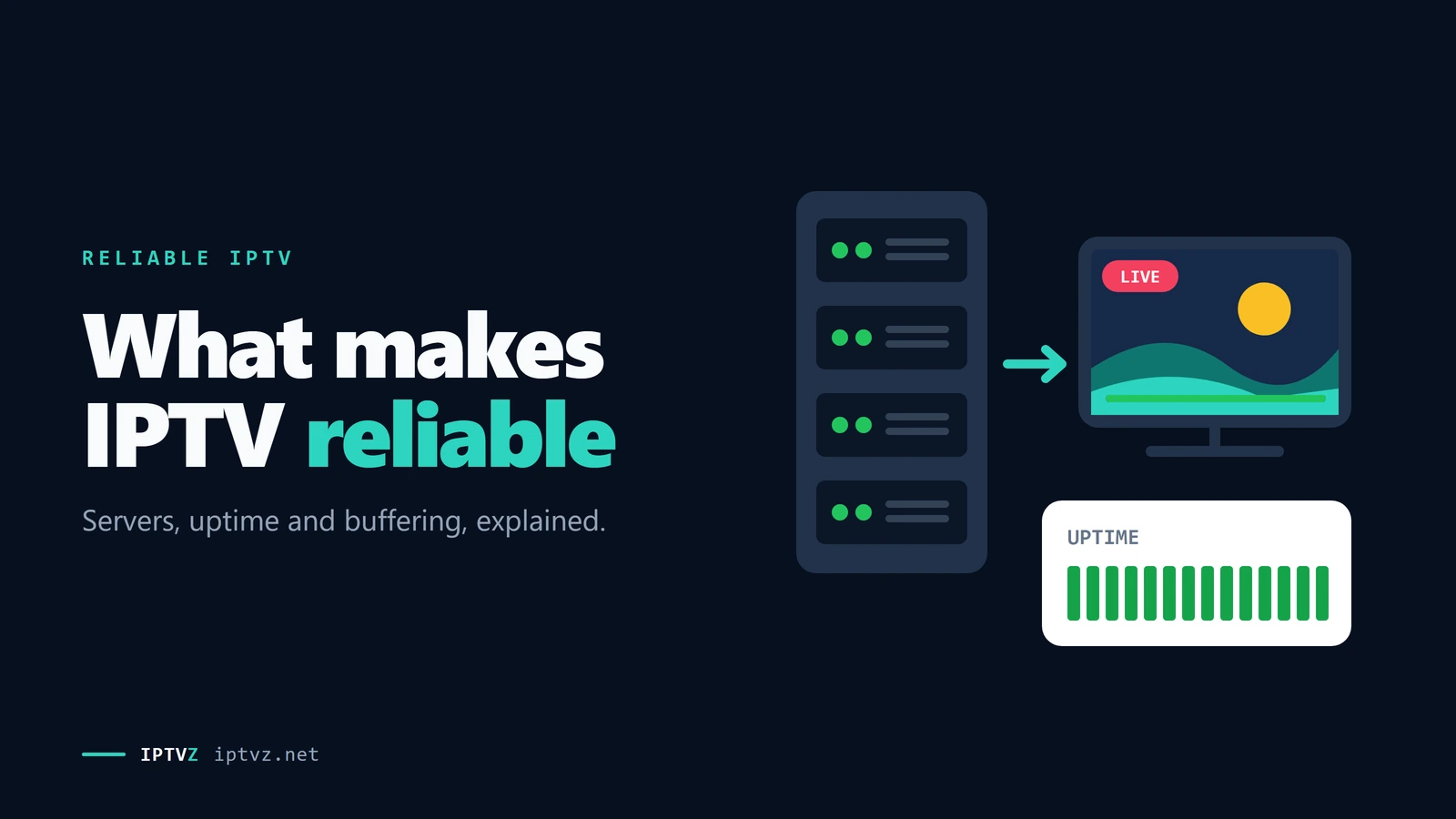
A live IPTV channel travels a chain before it reaches your screen. The service receives the channel feed and prepares it for streaming. Its servers send the stream out to every viewer who's watching that channel. The stream crosses the internet and your internet provider's network, reaches your router, and finally your device and the player app decode it into a picture.
Each link can slow things down, but only the first two are the service's job. That's why two people on the same IPTV service can have completely different experiences: one has a strong connection and a wired TV, the other a crowded Wi-Fi network two rooms from the router.
How a live channel reaches your TV, and what happens when a server is overloaded
On the service side, the biggest factor is simple arithmetic: how many viewers share how much server capacity. Live TV is expensive to deliver, because every viewer of a game needs their own copy of the stream at the same moment. A service that sells more lines than its servers can handle runs fine on a quiet Tuesday and falls apart when a big game starts. Reddit users call this overselling, and it's a common explanation there when a service that used to work suddenly doesn't.
There's one more layer many buyers don't see. A lot of IPTV sellers don't run servers at all. They resell access to a larger wholesale service, sometimes called a panel, and many sellers can sell the same one. So a new seller name doesn't always mean a different service, and switching sellers may not fix a problem that sits at the wholesale level. We explain how that market works in our guide to what Reddit recommends.
Why IPTV fails at the busiest moments
An IPTV service is tested hardest when the most people watch the same thing at the same time. In the US, that means NFL Sunday afternoons, primetime games, big pay-per-view fights and major finals. A quiet weekday night tells you little about how a service handles a Sunday at 1 p.m. Eastern, when millions of viewers start a game at the same minute.
Peak load hits the whole chain, not just the seller. Neighborhood internet traffic also peaks in the evening, and home Wi-Fi gets busier when everyone in the house is streaming. That's why a service can be fine in the afternoon and stutter at 9 p.m., and why the fair test is the busy hour on your own connection. If several people in your home watch at once, our guide to IPTV on multiple devices explains connection limits.
It also explains a pattern Reddit users describe again and again: a service that worked well for months and then got worse. Popularity is the usual reason. As a seller or the wholesale service behind it adds customers, the same servers carry more viewers, and the busy hours suffer first. One test, months ago, doesn't prove much about today.
What 58 Reddit threads blame when IPTV buffers
Reddit is where people go when their IPTV freezes, so we read what they're told. On November 4 and 5, 2026, we opened 58 Reddit threads that show up for buffering and stability searches, without an account. 27 of them were real IPTV buffering or reliability questions in player and IPTV help communities, 26 of those from the past 12 months. We coded every top-level answer that blamed something or suggested a fix, 123 answers in all. An answer could name more than one cause.
What 123 Reddit answers about IPTV buffering blamed or suggested
Four things stood out:
- "Try a VPN" is the reflex answer. It was the most common advice, in 33 of the 123 answers, usually with the idea that the internet provider slows down IPTV traffic. But 5 answers reported the opposite. One user found the VPN "actually seemed to make channel changes worse"; another turned it off on the provider's advice and wrote "zero buffering now". A VPN fixes one specific problem, not buffering in general.
- Nobody believes in "no buffering". In a thread asking for the best IPTV with no buffering, 9 of the 10 answers we coded said it doesn't exist. "No such thing as No buffering. Minimal buffering? Yes. Anything that relies on the internet will have buffering from time to time." The top answer in another thread agreed: some buffering "is a given but with a good provider it's minimal at worst".
- Services get worse over time. Several people described a service that was fine and then wasn't: "the first 3 month its good, after that its loading only". Another user compared three providers on free trials and found "they all use the same CDN endpoint", the same delivery network behind three seller names, with the same buffering on all three.
- Wired beats Wi-Fi, even on fast plans. One user on a 500 Mbps connection counted 10 to 15 buffering moments a day on Wi-Fi and 1 to 2 after switching the stick to a wired adapter. The home network got fewer mentions than the VPN, but the people who measured it saw the clearest change.
Only a few answers mentioned when the trouble happened, and they pointed to the same moments: a World Cup final with "5 mins disruption", a Thursday NFL game on a newly bought one-month plan that "was terrible", and one user's claim that providers "throttle the speed / traffic during peak times". That fits the pattern in the section above. Big events are when weak services show it.
- Reddit splits the blame between the service, the VPN question, the device and the app. Check your own setup first, then judge the service at a busy time.
- Treat "try a VPN" as one test, not the answer: compare the same channel with and without it.
The buffer: why the picture freezes
A player app doesn't show video the instant it arrives. It keeps a few seconds of video stored ahead of what you're watching, called the buffer. As long as video arrives at least as fast as it plays, the buffer stays full and you never notice it. When video arrives more slowly than it plays, the player starts using up the stored seconds. When they run out, the picture freezes and you see the spinning wheel. That's what buffering is.
The player's buffer on a fast evening and a busy one
For scale, Netflix recommends 5 Mbps or more for 1080p and 15 Mbps or more for 4K. Live IPTV channels are in the same range, depending on the service and the channel. That leads to two practical points:
- A fast plan doesn't guarantee a smooth stream. Your speed test measures the path to a nearby test server, not to the IPTV server. If the service's server is overloaded, a 500 Mbps connection still receives the stream slowly.
- A bigger buffer hides short dips, not long ones. Some player apps let you increase the buffer size. That rides out a few seconds of slowdown, but if the stream arrives too slowly for minutes at a time, a bigger buffer only delays the freeze.
For the numbers by household, see our guide to internet speed for IPTV. If you're paying extra for picture quality, see what 4K IPTV really delivers.
This is also why "no buffering" is a promise no seller can make for you. The seller controls how fast its servers send. It doesn't control your Wi-Fi, your internet provider or the other people streaming in your house.
Channel switching, and why IPTV runs behind live TV
Cable boxes change channels quickly because most channels are already arriving at the box. IPTV works differently: when you press CH+, the app has to ask the server for the new channel, download the first piece of video, and wait for a complete frame it can start the picture from. Only then does the new channel play.
What happens between pressing CH+ and the next channel playing
The wait for a complete frame is the part people don't expect. Video is compressed by storing a full picture now and then and only the changes in between, and a player can only start from a full picture. Apple's guidelines for its HLS streaming format recommend one every two seconds. That alone means a switch of a second or two is normal for IPTV, and the server, your connection and the app add to it. Switches that regularly take five seconds or more, or need a second try, point to a slow server or a struggling connection.
The same design explains the delay. A live IPTV stream usually runs some seconds behind cable or antenna TV, because the stream is prepared and delivered in pieces and the player keeps a buffer. The HLS specification tells players not to start closer than three pieces from the newest one, and with Apple's recommended 6-second pieces that alone is about 18 seconds. Other formats and settings can run closer to live. If a friend's text about a touchdown arrives before you see it, that's the delay, not a fault, and it's the same for every streaming service that works this way. If you miss the start of a show, some channels let you go back with IPTV catch-up.
Reliability promises you can't check, and what to test instead
We read the websites of 72 IPTV sellers that showed up in Google for US buying searches, 533 pages in all, saved on October 30 and 31, 2026. Reliability was the most repeated promise on them. 39 sites promised "99.9%" or "100% uptime", 39 advertised "anti-freeze" or "anti-buffering" technology, and more than half promised "zero buffering" or "buffer-free" streaming. Five sites gave this technology a version number, such as "10.0" or "9.8".
"Anti-freeze" isn't a standard technology with a definition you can look up. Where sellers explain it, they describe things like more server capacity, switching to a backup server, or a larger buffer in the player. Those are real techniques, but the label itself tells you nothing about how well they're done, and a version number doesn't make it measurable. The same goes for uptime: a percentage without a measuring method, a time period and an independent source is a slogan.
| Topic | Promise you can't check | What you can test |
|---|---|---|
| Uptime | "99.9%" or "100% uptime" | Your channels at the hours you watch, over several days |
| Freezing | "Anti-freeze technology 10.0" | A full live game, start to finish, at a busy time |
| Buffering | "Zero buffering, guaranteed" | The same channel on your TV and on a phone hotspot |
| Quality | "True 4K" and "8K" on every channel | The app's stream info: the resolution it actually plays |
| Servers | "Premium US servers in every state" | Channel switches: count the seconds for 10 in a row |
| Backup | "Automatic failover, never down" | Whether a dead channel has a backup or gets fixed fast |
| Support | "24/7 support" with no way to reach it but a chat app | A written question during the trial, and how long the answer takes |
Notice that the right-hand column needs only a trial, your TV and a clock. You don't have to trust anyone's numbers, including ours.
Is it the IPTV service or your home connection?
Before you blame a service, or praise one, rule out your own setup. It takes three quick checks:
- Another network. Connect the device to your phone's hotspot for a few minutes. If the same channel still buffers, your home internet isn't the cause.
- Another device. Play the same channel on a phone or a second TV. If both struggle at the same moment, the app and the device aren't the cause either.
- Another channel. If only one channel freezes and the rest play, that channel's stream has a problem. Tell the service the exact channel name and time.
If everything buffers everywhere at once, especially at a busy time, the service is the likely cause. If it only happens on one TV, on Wi-Fi, or only with a VPN on, the fix is at home. Our IPTV buffering guide walks through the home fixes step by step, and our IPTV troubleshooting guide covers errors and black screens. If nothing plays at all, our guide to whether IPTV is down finds the cause in two minutes.
How to test an IPTV service's reliability in a free trial
A free trial is short, so plan it. These seven checks take one evening and one live game, and they test the things that decide whether you'll be happy in month three.
- Pick a busy time
Start the trial so it covers a peak moment: an NFL Sunday afternoon, a primetime game or a weekday evening between 8 and 11 p.m. in your time zone. A trial run on a quiet afternoon proves very little.
- Use the TV you'll actually watch on
Test on your real device, in your real room, on your real network. A smooth stream on a laptop next to the router says nothing about the bedroom Fire TV Stick on Wi-Fi.
- Watch one full live game
Watch from kickoff to the final whistle, or at least a full hour of a big event. Note every freeze longer than a second and when it happened. Most streams look fine for five minutes; reliability shows over two or three hours.
- Time 10 channel switches
Switch through 10 channels you care about and count the seconds for each. A second or two is normal. Repeated waits of five seconds or more, or channels that need a second try, are a warning.
- Check the channels you need, not the total
Make a short list: your local stations, your sports networks, your news. Play each one and look at the guide. A huge channel count means little if your five channels don't work.
- Ask support one written question
Send a real question by live chat or email and note how long the answer takes and whether it actually answers you. That's the support you'll get when something breaks.
- Rule out your home once
If anything buffers, repeat that channel on a phone hotspot. It's the fastest way to know whether to blame the service or your Wi-Fi.
After the trial, start with the shortest plan rather than a year, and pay with a method you can dispute. Reliability can change as a service grows, and a short first plan lets you check it over a few more busy weekends. Our guide to spotting IPTV scams explains which payment methods protect you.
Where IPTVZ fits
We'd like you to apply every check in this guide to us. Here's what we've tested and what we offer, without the promises we just told you to ignore.
| Check | IPTVZ |
|---|---|
| Full live game | We watched the full NBC broadcast of Patriots at Seahawks on September 9, 2026, on home Wi-Fi in New York City in the Hot Player app, with no buffering |
| Channel switching | About 1 to 3 seconds per switch in the same test, timed by eye rather than with a tool |
| Uptime | We don't publish an uptime percentage and we don't promise "zero buffering". No service can promise that for your home. |
| Channels | 19,000+ live channels in total, with the full US channel list published so you can check yours |
| Trial | A free trial with no credit card |
| If it doesn't work | A written 48-hour money-back guarantee for technical issues |
| Support | Live chat and email, 24/7; we don't take phone calls |
One game on one connection is a single data point, not proof of how the service runs on your street. That's exactly why the trial exists: run the seven checks above on IPTVZ, on a busy evening, and decide from what you see.
People also ask
These are the questions Google showed for "reliable IPTV", "stable IPTV" and "most reliable IPTV" on November 4, 2026 (US settings, results not personalized). Each one gets a straight answer first.
Which IPTV service is the most reliable?
No independent source measures IPTV reliability, so no one can honestly name a single most reliable service. Reliability also depends on your internet provider, your Wi-Fi and the hours you watch, so the same service can be smooth for one person and poor for another. We sell IPTV, so we won't rank other sellers. The fair test is a free trial during a live game, on your own TV.
What is the most stable IPTV?
The most stable IPTV for you is the one that stays smooth on your connection at the times you watch. Signs of a stable service: a full live game with no freezes at a busy time, channel switches of a second or two, a guide that matches what's on, and dead channels that get fixed quickly. Promises such as "anti-freeze technology" or "99.9% uptime" don't tell you any of that.
What is the number one rated IPTV?
There's no official rating body for IPTV services, so "number one rated" is a marketing claim. Many "top 10" lists are written by sellers or paid for, and star ratings on a seller's own website aren't independent. Our guide to IPTV reviews explains how to tell a real review from a paid one.
How much is IPTV per month?
Many IPTV services sell plans of several months at a time rather than month to month. At IPTVZ, one device costs $29.99 for 3 months (about $10 a month), down to $259.99 for 5 years (about $4.33 a month); VIP plans cost about 50% more. Be wary of "lifetime" deals: a one-time price for a service that needs running servers is a red flag.
Which IPTV is legal in the US?
IPTV itself is legal: it's just a way of delivering TV over the internet, and licensed services such as YouTube TV, Sling TV and Fubo use it. Whether a particular service is legal depends on whether it has the rights to the channels it streams. We don't claim licensing we can't verify. Our guide on whether IPTV is legal explains what US law covers.
More questions about reliable IPTV
Why does IPTV buffer during live sports?
Because that's when the most people watch the same stream at once. Servers, internet providers and home Wi-Fi all carry more traffic during a big game, and a service that sold more lines than its servers can handle struggles first. If it happens on every device and network at the same time, it's the service; if only on one TV, start with your home setup.
Does a VPN make IPTV more stable?
Only in one case: when your internet provider slows down streaming traffic. Then a VPN can hide that traffic and help. In every other case a VPN adds an extra stop on the route and can make buffering worse. Test the same channel with and without it at the same time of day.
What internet speed do I need for stable IPTV?
As a guide, Netflix recommends 5 Mbps or more for 1080p and 15 Mbps or more for 4K, per stream. Leave room for everyone else in the house, and remember that a steady connection matters more than a big number: a wired TV on 50 Mbps usually beats a distant Wi-Fi TV on 500 Mbps.
What is "anti-freeze" IPTV?
It's a marketing term, not a standard technology. 39 of the 72 seller websites we checked used it or "anti-buffering", some with version numbers. Where sellers explain it, they mean things like extra server capacity, a backup server or a bigger buffer. Test the result with a live game instead of trusting the label.
Is IPTV as reliable as cable?
Usually not quite. Cable runs on a network the cable company controls all the way to your box, while IPTV crosses the public internet and your home Wi-Fi. A good IPTV service on a solid connection can run a full game without a freeze, but channel switches take a little longer and the stream runs some seconds behind live.
Why is my IPTV behind live TV?
Live streams are sent in short pieces and the player keeps a few seconds stored to avoid freezing, so the picture runs behind cable or antenna TV. With the standard settings of Apple's HLS format, that delay alone is around 18 seconds. A shorter delay is possible with other formats, usually with less protection against buffering.
Why does one channel freeze while the others work?
That channel's stream has a problem at the source, not your connection. Try it again later or use a backup version of the channel if the service lists one, and report the exact channel name and time to support. A reliable service fixes it within hours.
Sources and data
- IPTVZ, websites of 72 IPTV sellers found in Google for US buying searches: 533 pages saved and checked, US connection, October 30–31, 2026. Claims counted by keyword and checked by hand. No purchases were made.
- IPTVZ, 58 public Reddit threads found for IPTV buffering and stability searches, read without an account on November 4–5, 2026; 123 top-level answers in 27 IPTV buffering threads coded by hand. Users quoted without usernames; no sellers named.
- IPTVZ, Google results and "People also ask" questions for "reliable IPTV", "stable IPTV" and "most reliable IPTV", US settings, collected November 4, 2026.
- IPTVZ test: full NBC broadcast of Patriots at Seahawks, September 9, 2026, home Wi-Fi in New York City, Hot Player app.
- Netflix Help Center, Netflix-recommended internet speeds, read November 4, 2026.
Show all 9 sourcesShow fewer
- Apple Developer, HLS Authoring Specification for Apple Devices (key frames every two seconds; 6-second target durations), read November 4, 2026.
- IETF, RFC 8216: HTTP Live Streaming, section 6.3.3 (players should not start less than three target durations from the end of a live playlist), read November 4, 2026.
- IPTVZ keyword research: Semrush US data for reliable, stable and no-buffering IPTV searches, collected November 4, 2026.
- IPTVZ plans, prices and refund policy as published on iptvz.net, November 4, 2026.
Test it on your own TV
Which IPTVZ plan is right for you?
Both plans carry the same channels, movies and sports, with the same 48-hour money-back guarantee. Pick one and order right here.
Standard
- 19,000+ live channels, including 830 US local stations
- 80,000+ movies & series on demand
- NFL, NBA, MLB, NHL & PPV events
- 24/7 support by chat & email
$29.99
$10.00/mo · billed once
VIP
- Everything in Standard, plus:
- Free Hot Player or EBO Player activation for 1 year
- Premium Server
- Faster, priority support
$44.99
$15.00/mo · billed once
Not ready to buy? Start a free trial, no credit card needed.
- 48-hour money-back guarantee for technical issues
- Pay by card, crypto, bank transfer, Cash App and more
- Up to 5 devices and plans up to 5 years on the pricing page
Sources
- help.netflix.com: Netflix-recommended internet speeds help.netflix.com
- developer.apple.com: HLS Authoring Specification for Apple Devices developer.apple.com
- rfc-editor.org: RFC 8216: HTTP Live Streaming rfc-editor.org

 Buying guides
 Buying guides
 Buying guides
Discover more
Explore our other guides & insights
From device setup guides to channel overviews: find everything you need to stream smarter.