

Is IPTV Down? How to Tell If It's the Service or Your Setup
When every channel stops at once, the first question is whether the service is down or something on your side broke. Outage sites can't answer that for IPTV, because they check a website, not the servers your channels come from. Here's a two-minute test that finds the cause, what Reddit users found when their service stopped, and when it's your internet provider.
Who wrote this: IPTVZ sells IPTV, so we have our own servers that can go down too. This guide covers how to tell, with any service. We don't name or rank other sellers. We read public Reddit threads without an account and quote users without their usernames.
The short answer: there's no single "IPTV" that goes down
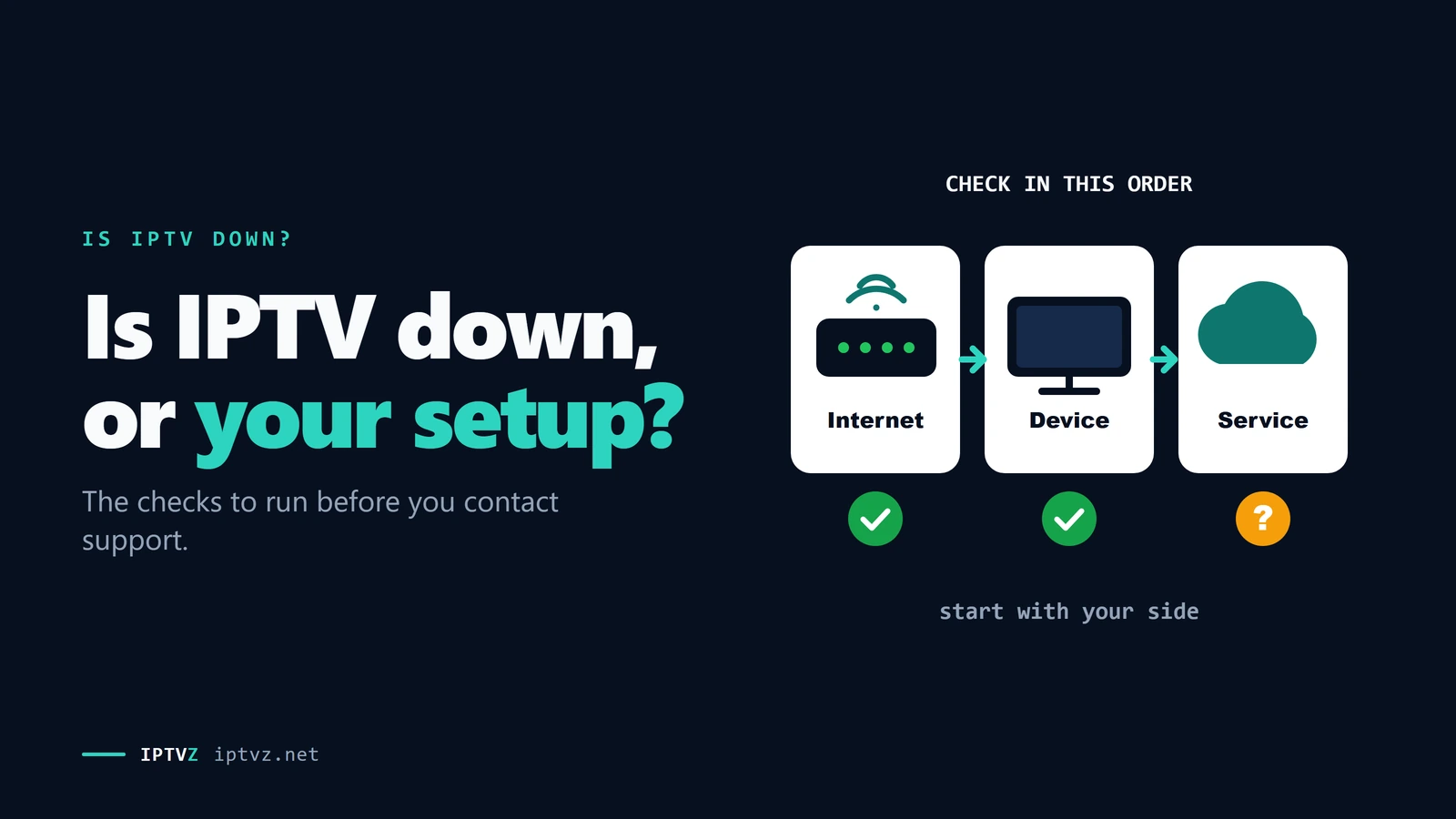
Every IPTV service runs its own servers, so "Is IPTV down?" really means "Is my service down?" To find out, check four things in order. If other apps and websites don't load, it's your internet. If only a few channels fail, those channels are off at the source. If one player app fails but a second app plays with the same login, it's the app. If it plays on your phone's mobile data but not at home, it's your home network or internet provider. If all of that points away from you, the service is likely down: check its status page or ask its support. Most outages are fixed within hours, but a service that stays silent for days may be gone.
The key point
A second player app is the fastest test. If two apps fail on the same login while everything else works, the problem is almost never on your side.
This guide is part of our series on what makes an IPTV service reliable. If it turns out to be your setup, our IPTV troubleshooting guide has the fixes.
Why outage sites can't tell you
Sites that ask "is it down for everyone or just me?" load a web address and tell you whether it answered. For IPTV, the web address you'd type is the seller's website, where you pay and sign up. Your channels don't come from there. They come from streaming servers at a different address, often run by a different company. Ours are the same: the IPTVZ website and our streaming servers run on separate networks.
An outage site checks the website, not your stream
The reverse also happens: a seller's website can be down for a day while every channel keeps playing. User reports on outage sites mostly cover big streaming brands, not small IPTV sellers, so an empty report page doesn't mean much either. The two places that do know are the service's own status page or support, and other users of the same service.
The two-minute test
Ask these four questions in order. Each one rules out a part of the chain between the server and your screen, so you know whom to contact before you start changing settings.
Is it the service, or your setup?
- Do other apps and websites work?
Open YouTube or a news site on the same device. If nothing loads, the problem is your internet connection: restart the router, and if that doesn't help, check your internet provider's outage page.
- Are all channels down, or only some?
Try five channels from different groups, including one big news channel. If only a few fail, those feeds are off at the source, which happens and is usually fixed by the service within hours. Tell support which channels, so they know.
- Does a second app fail too?
Add the same login to a second player app, such as IPTV Smarters if you use TiviMate. If the second app plays, your first app is the problem: update it, clear its cache or reload the playlist. If both fail, keep going.
- Does it play on your phone's mobile data?
Turn off Wi-Fi on your phone and play a channel in a player app. If it plays there but not at home, the problem is between your home and the server: your router, your internet provider or the route. The ISP section below explains what to check.
If all four answers point away from you, the service is likely down, or your login stopped working. The error message, if your app shows one, tells you which.
What the error message tells you
Player apps word errors differently, but most fall into a few groups. Each one points to a different cause.
| What you see | Usually means | What to do |
|---|---|---|
| "Expired" or "account disabled" | Your subscription ended, or the app still has the old end date | Renew, then refresh the playlist in your app |
| "Login failed" or "invalid username or password" | A typing mistake, a changed server address, or a login that was turned off | Retype it, check the server address, then ask support |
| "Max connections" or the stream stops after a few minutes | The same login is playing on another screen | Close the other screen, or get a login per screen |
| Black screen or endless loading on every channel | The server, your network, or a block on the way | Run the two-minute test above |
| Black screen on a few channels | Those feeds are off at the source | Try later, and tell support which ones |
| Channels play but the guide is empty | A guide problem, not an outage | See EPG not loading |
An "expired" message right after you renewed is common and harmless: the app keeps the end date it loaded last time. Refreshing or re-adding the playlist fixes it. If connections are the issue, our guide to IPTV multiple connections explains how logins and screens work.
What Reddit users found
We read public Reddit threads from the past year where someone's IPTV stopped. Two things stood out: how often services go down depends a lot on the service, and in most threads the service itself was still running.
In two threads that asked how often an IPTV service goes down, 21 users said how often theirs stops. 8 said never, 8 said rarely, a few times a year at most, and 5 said every day or every week. Several answers blamed cheap resellers who put too many users on one server address. One answer summed up the difference between services: they all have problems, but some are back in 10 minutes while others are off for a week.
In 25 threads where someone's whole service stopped, we noted what the cause turned out to be, or what the most-upvoted answer pointed at. In 15 of them, the service itself was still running:
- 7 were the internet provider or home network. Channels played on phone data but not on home Wi-Fi, or stopped after a switch to a new internet company. Several were in Canada, and the top answer in one thread, with 11 upvotes, was: "Might be ISP blocking during sporting events. They do that in Canada."
- 8 were the service itself, down for a while or gone. In the worst cases, the seller stopped answering, and the website and chat group disappeared. One user who had paid for 18 months up front waited about three days each time for the seller to restore it.
- 4 were a changed or blocked server address. The service was up, but the address in the app no longer worked. A new address from the seller fixed it, in one case by changing only the end of the address.
- 2 were a player app update. Every channel stopped after an update until users went back to the earlier version.
- 1 was the device. A Fire TV Stick had removed the player app, and the user found it happened when storage ran low. Freeing space and reinstalling fixed it.
- 1 was the login. The seller fixed it each time by sending a new one. And one user who blamed an app update came back to add: "It's a coincidence that my subscription also expired today."
- 2 were never solved in the thread.
What 25 Reddit outage threads turned out to be
The most common advice in these threads matched the two-minute test: rule out your own side, then contact the seller. Several users also keep a second service or a backup server address, and many warned against paying for long plans up front.
Is your internet provider blocking IPTV?
In the United States, no court order makes internet providers block IPTV services, as of November 2026. Bills that would let courts order this have been proposed. The latest, the DEFEND IP Act, was introduced in the Senate in September 2026. It would only cover sites a court finds to be foreign piracy sites, and it hasn't passed. Several other countries already do this, and Canada is the closest example.
In Canada, the Federal Court has issued "dynamic" blocking orders since 2022, first for NHL games. The current order, from July 2024, covers several sports and has been extended since. During a live game, broadcasters send a list of server addresses, and the major internet providers block them until the game ends. So the sign of this kind of block is very specific: channels fail only during live games, on your home internet, and work again afterwards.
Signs that point to your internet provider or home network:
- It plays on mobile data but not on home Wi-Fi or Ethernet. The service is up, and something on your home connection stops it.
- It fails on every device at home, with every app. That rules out the device and the app.
- It works at a friend's house on a different internet provider. Same login, different network.
- It only buffers in the evening. That's more often a busy network than a block. Our guide to VPNs and IPTV buffering covers what tests found about throttling.
If you see these signs, contact your IPTV service first. It can check whether other customers on your internet provider have the same problem.
When a service is gone for good
Most outages end within hours. Some services don't come back. Anti-piracy groups and police shut down unlicensed IPTV services several times a year, often with their resellers. In January 2026, one operation led by Italian prosecutors and police disconnected more than 125,000 users in Italy alone. Other services simply stop, and their sellers disappear.
The signs that a service is gone, not just down:
- Support stops answering emails and chat for more than a day or two.
- The website is gone, or still sells plans but logins fail.
- Every app shows "login failed" for logins that worked yesterday.
- Users of the same service report the same thing, with no update from the seller.
The money lost is whatever time was left on your plan. That's the reason to be careful with long plans and "lifetime" offers: our guide to lifetime IPTV explains why they rarely last, and IPTV scams covers the sellers to avoid.
If IPTVZ is down
We keep a public status page. When a problem affects many customers at once, such as a group of channels going off air or a slow server, we post it there once we confirm it, with what's affected and what we're doing. Fixed problems move to a list of past incidents with the time they were resolved.
If the status page is green and your channels still don't play, contact us by live chat or email. We can check your login's status and end date, and whether it's playing on another screen. Our refund policy covers outages too: if our service is completely down for more than 7 days in a row, a full or partial refund will be considered.
The best time to judge a service is before you pay. A free trial shows you how it plays on your own TV and internet, at no cost.
People also ask
These are the questions Google showed for "IPTV down" and "IPTV not working" on November 5, 2026 (US settings, results not personalized). Each one gets a straight answer first.
Why is my IPTV not working today?
Either your service is down, or something between it and your screen broke: your internet, your app, your home network or your login. Check that other apps work, try several channels, try a second player app, then try your phone's mobile data. If everything points away from you, check your service's status page or ask its support.
Is IPTV still down?
There's no single IPTV to check: each service runs its own servers, so only your service can tell you. Look for a status page or ask its support. If other users of the same service report the same problem, it's on the service's side.
What has happened to IPTV?
IPTV as a technology is fine, but many unlicensed services have been shut down by police and rights holders. When a big service goes, its customers and resellers lose access at once, which is why many people search for this at the same time. Most day-to-day outages are shorter and have ordinary causes.
Are internet providers blocking IPTV?
In the US, not by court order, as of November 2026: a site-blocking bill was introduced in September 2026 but hasn't passed. In Canada, big internet providers block listed streaming servers during live sports under Federal Court orders. If channels fail only during live games, and only on your home internet, that's the likely sign.
Which IPTV services have been shut down?
Many unlicensed services and their resellers, in raids that often cover several countries at once. We don't name other sellers, but the signs are the same each time: logins fail on every app, support goes quiet and the seller posts no update. In January 2026, one operation disconnected more than 125,000 users in Italy alone.
More questions about IPTV outages
How do I reset my IPTV?
Restart the device and the router, clear the player app's cache, then reload or re-add the playlist. On a Fire TV Stick, clear the cache under Settings, Applications, Manage installed applications. If channels still don't play, run the two-minute test above.
How long do IPTV outages last?
A server problem is usually fixed within minutes to a few hours. Channels that are off at the source can take longer. If a service is silent for more than a day or two, treat it as possibly gone.
Does IPTV still work in 2026?
Yes. IPTV is how many services, licensed and not, send TV over the internet. Individual sellers come and go, which is why a free trial and short first plans are a good idea.
Will a VPN fix IPTV that's down?
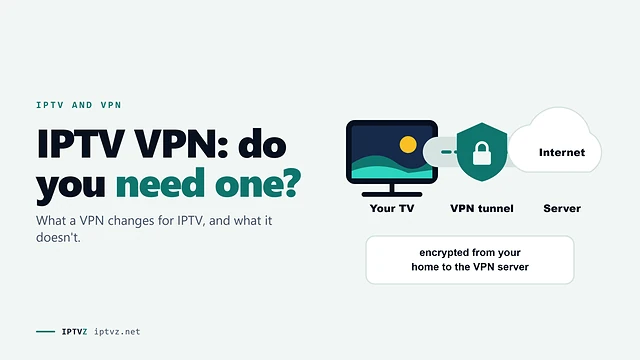
Not if the service itself is down. A VPN changes the route from your home to the server, so it can only help when the problem is on that route. Our guide to IPTV and VPNs explains when one helps.
Why does IPTV stop working during big games?
Either the server is overloaded by everyone tuning in at once, or, in some countries, internet providers block listed servers during the game. Both show up as buffering or a black screen right at kickoff.
Sources and data
- IPTVZ, 54 public Reddit threads about IPTV outages, read without an account on November 5, 2026; 25 threads where a whole service stopped coded by cause, and 21 answers about how often a service stops, coded by hand. Users quoted without usernames; no sellers named.
- TorrentFreak, "Unified U.S. Site Blocking Bill Targets ISPs and DNS Resolvers But Spares VPNs", September 2026 (the DEFEND IP Act, S. 5529).
- TorrentFreak, "NHL Broadcasters Win Canada's First 'Dynamic' Pirate IPTV Blocking Order", June 2022; Rogers Media Inc. v. John Doe 1, 2024 FC 1082.
Show all 6 sourcesShow fewer
- Advanced Television, "ACE welcomes Operation Switch Off success", January 30, 2026.
- IPTVZ, Google results and "People also ask" questions for "IPTV down" and "IPTV not working", US settings, collected November 5, 2026.
- IPTVZ keyword research: Semrush US and Canada data for outage searches, collected November 5, 2026.
Test it on your own TV
Which IPTVZ plan is right for you?
Both plans carry the same channels, movies and sports, with the same 48-hour money-back guarantee. Pick one and order right here.
Standard
- 19,000+ live channels, including 830 US local stations
- 80,000+ movies & series on demand
- NFL, NBA, MLB, NHL & PPV events
- 24/7 support by chat & email
$29.99
$10.00/mo · billed once
VIP
- Everything in Standard, plus:
- Free Hot Player or EBO Player activation for 1 year
- Premium Server
- Faster, priority support
$44.99
$15.00/mo · billed once
Not ready to buy? Start a free trial, no credit card needed.
- 48-hour money-back guarantee for technical issues
- Pay by card, crypto, bank transfer, Cash App and more
- Up to 5 devices and plans up to 5 years on the pricing page
Sources
- torrentfreak.com: "Unified U.S. Site Blocking Bill Targets ISPs and DNS Resolvers But Spares VPNs" torrentfreak.com
- torrentfreak.com: "NHL Broadcasters Win Canada's First 'Dynamic' Pirate IPTV Blocking Order" torrentfreak.com
- advanced-television.com: "ACE welcomes Operation Switch Off success" advanced-television.com
 Buying guides
 Buying guides
 Buying guides
Discover more
Explore our other guides & insights
From device setup guides to channel overviews: find everything you need to stream smarter.