How to Get IPTV on Hisense TV: Google TV, Fire TV, Roku and VIDAA
Most Hisense TVs in the US run Google TV, Fire TV or Roku; a few run Hisense’s own VIDAA. On Google TV, Fire TV and VIDAA, install an IPTV player from the TV’s app store and add your login. On a Roku TV, use a Roku store player or plug in a streaming stick. Start by checking which system your TV has.
Table of contents
Which Hisense TV do you have?
Hisense sells TVs with several systems in the US: its own list includes Google TV, Android TV, Fire TV, Roku TV and VIDAA. Most models run Google TV, Fire TV or Roku; VIDAA, Hisense’s own system, is on a small share of US models. How you get IPTV depends on which one you have.
The home screen and the remote tell you which one you have:
- Google TV or Android TV: a Google home screen and a Google Assistant button.
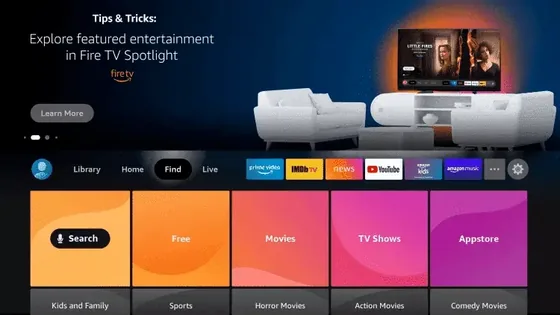
- Fire TV: Amazon’s Fire TV menu and an Alexa button.
- Roku TV: the Roku home screen and a Roku button.
- VIDAA: VIDAA’s own home screen and app store.
On Hisense’s 2026 U7, TechRadar reports that a G at the end of the model name means Google TV and an F means Fire TV. Older models such as the U8G run Android TV.
| Your Hisense runs | Install a player? | What to do |
|---|---|---|
| Google TV or Android TV | Yes, from Google Play | TiviMate or IPTV Smarters Pro (below) |
| Fire TV | Yes, Appstore or Downloader | Same as a Fire TV Stick (below) |
| Roku TV | Roku store only | A Roku store player or a streaming stick (below) |
| VIDAA | VIDAA App Store only | A VIDAA IPTV player (below) |
Before you start
- Your IPTVZ login: the server URL, username and password from your welcome email; they work on every Hisense system. No account yet? Start the free trial.
- Internet speed: about 15 Mbps for HD and 25 Mbps or more for 4K. An Ethernet cable is steadier than the TV’s Wi-Fi.
- A faster keyboard (optional): typing a server URL with the remote is slow. The Google TV app works as a remote for Google TV models, and the VIDAA app for VIDAA models.
IPTV on a Hisense Google TV or Android TV
This is the easy case. Open Google Play on the TV and install TiviMate or IPTV Smarters Pro. Open the app and add your login as Xtream Codes: the server URL, username and password, exactly as in your email. Our Android TV and Google TV guide shows every screen, and the TiviMate guide and IPTV Smarters Pro guide cover each player.
IPTV on a Hisense Fire TV
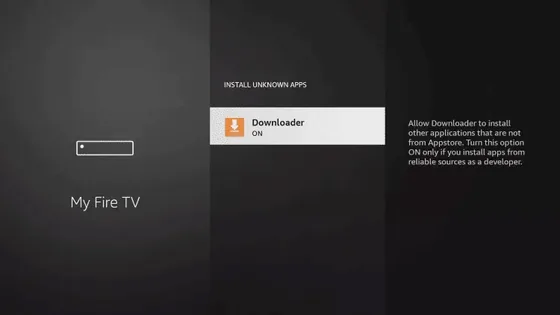
A Hisense Fire TV works like a Fire TV Stick built into the TV. Install a player from the Amazon Appstore or with the Downloader app, then add your Xtream Codes login. Our Firestick guide covers Downloader and the developer options step by step. Which service and player suit Fire TV best is covered in the best IPTV for Firestick.
IPTV on a Hisense Roku TV
Roku TVs only install apps from the Roku Streaming Store, and they can’t sideload apps, so you can’t add TiviMate or an APK. The store does list IPTV players that take an Xtream Codes login or an M3U link, and you can also mirror a phone to the TV. For the full TiviMate or IPTV Smarters Pro experience, plug a Fire TV Stick or a Google TV device into a free HDMI port. Our Roku IPTV guide covers all three options.
How to install IPTV on a Hisense VIDAA TV
VIDAA installs apps only from the VIDAA App Store; Android APK files don’t run on it. The IPTV players in the store vary by model and region, so search on your own TV.
- Press Home on the remote and open the app store.
- Search for IPTV and pick a player that accepts Xtream Codes or M3U logins. SmartOne IPTV, for example, lists VIDAA TVs among the platforms it supports. Read the app’s description before you install it.
- Install the player and open it.
- Add your login: choose Xtream Codes if the app offers it, and enter the server URL, username and password. Otherwise add the M3U link from your email; the guide then needs a separate EPG link, which isn’t in your login email.
MAC-activated players: some TV players show a MAC address and charge their developer’s activation fee after a trial; check the developer’s website for the price. If yours asks for a MAC address, send it to our support team and we’ll help you link your login.
Nothing suitable in your VIDAA store? A streaming stick in the HDMI port gives you TiviMate and every big player.
Load the TV guide (EPG)
An Xtream Codes login brings the guide in by itself, but on a Hisense TV the first load can take 5 to 15 minutes, so keep the app open. IPTVZ has guide data for 1,600+ US channels; PPV event slots and 24/7 channels have none. If program times are off by a few hours, set the TV’s date and time to automatic, then refresh the guide in the app.
Hisense TV IPTV problems and fixes
- Can’t find the app: check your TV’s system first. On VIDAA the store differs by model and region; on a Roku TV, use a Roku store player or a streaming stick.
- The login fails: check the server URL, username and password character by character, and make sure you chose Xtream Codes, not M3U.
- Wrong program times: set the TV’s date and time to automatic and refresh the guide.
- Buffering: use an Ethernet cable if you can, or move the router closer. You need about 15 Mbps for each HD stream.
- The app freezes: turn the TV fully off and on, then update the TV software and the app.
More fixes are in our IPTV troubleshooting guide. Samsung and LG owners: see our Samsung and LG guide. Every other device is in the IPTV setup guide.
Hisense TV IPTV questions
- Can you install IPTV on a Hisense TV?
- Yes, on most models. Hisense TVs with Google TV, Android TV, Fire TV or VIDAA install an IPTV player from their app store. On a Hisense Roku TV, use a player from the Roku Streaming Store or plug in a streaming stick.
- Can you download third-party apps on a Hisense TV?
- It depends on the system. Google TV and Android TV models install apps from Google Play, and Fire TV models from the Amazon Appstore or with Downloader. VIDAA models only install apps from the VIDAA App Store, and Roku TVs only from the Roku Streaming Store.
- What is the best IPTV app for a Hisense TV?
- On Google TV and Fire TV models, TiviMate or IPTV Smarters Pro. On VIDAA, a player from the VIDAA App Store that accepts Xtream Codes or M3U logins, such as SmartOne IPTV. Our best IPTV apps guide compares them.
- How do I get IPTV on a Hisense Roku TV?
- Add an IPTV player from the Roku Streaming Store, or plug a Fire TV Stick or a Google TV device into a free HDMI port for TiviMate and IPTV Smarters Pro. Roku TVs can’t sideload apps. See how IPTV works on a Roku.
- Is IPTV Smarters Pro on VIDAA?
- We couldn’t confirm a listing in the VIDAA App Store, and the apps it offers vary by model and region. Search the store on your TV; if it isn’t there, use another VIDAA player or a streaming stick.
- What is the most common IPTV problem on a Hisense TV?
- Looking for an app your TV can’t install. The player depends on the system: Google TV, Fire TV, Roku TV or VIDAA. Check yours first, then follow the matching steps.
- Is IPTV on a Hisense TV legal?
- Hisense TVs and the player apps in their stores are legal. Whether a particular IPTV service is legal depends on whether it has the rights to what it streams; our guide explains what US law says about IPTV.
Need help?
Not sure which system your Hisense runs, or which player to use? Our support team helps 24/7 by live chat and email. Tell us your Hisense model number and the screen you are on.
Contact SupportSetup guides for other devices
Fire TV Stick, Fire TV Stick 4K Max, Fire TV Cube
Apple TV 4K, iPhone, iPad
Android phones and tablets, Google TV, NVIDIA Shield
Samsung Tizen and LG webOS; install a player on the TV
Z8 Pro, Z10 Pro, Z11 Pro, GTV with MyTVOnline
MAG 250, 254, 322, 324, 420, 424 set-top boxes
Sources

- Hisense USA: Smart TV platforms (archived copy, October 14, 2026) web.archive.org
- Hisense's 2026 mid-range mini-LED TV comes in sizes up to 116 inches, because why not techradar.com
- Smart One IPTV player (official site) smartone-iptv.com
Discover more
Explore our other guides & insights
From device setup guides to channel overviews: find everything you need to stream smarter.