

Does a VPN Stop IPTV Buffering? ISP Throttling Explained
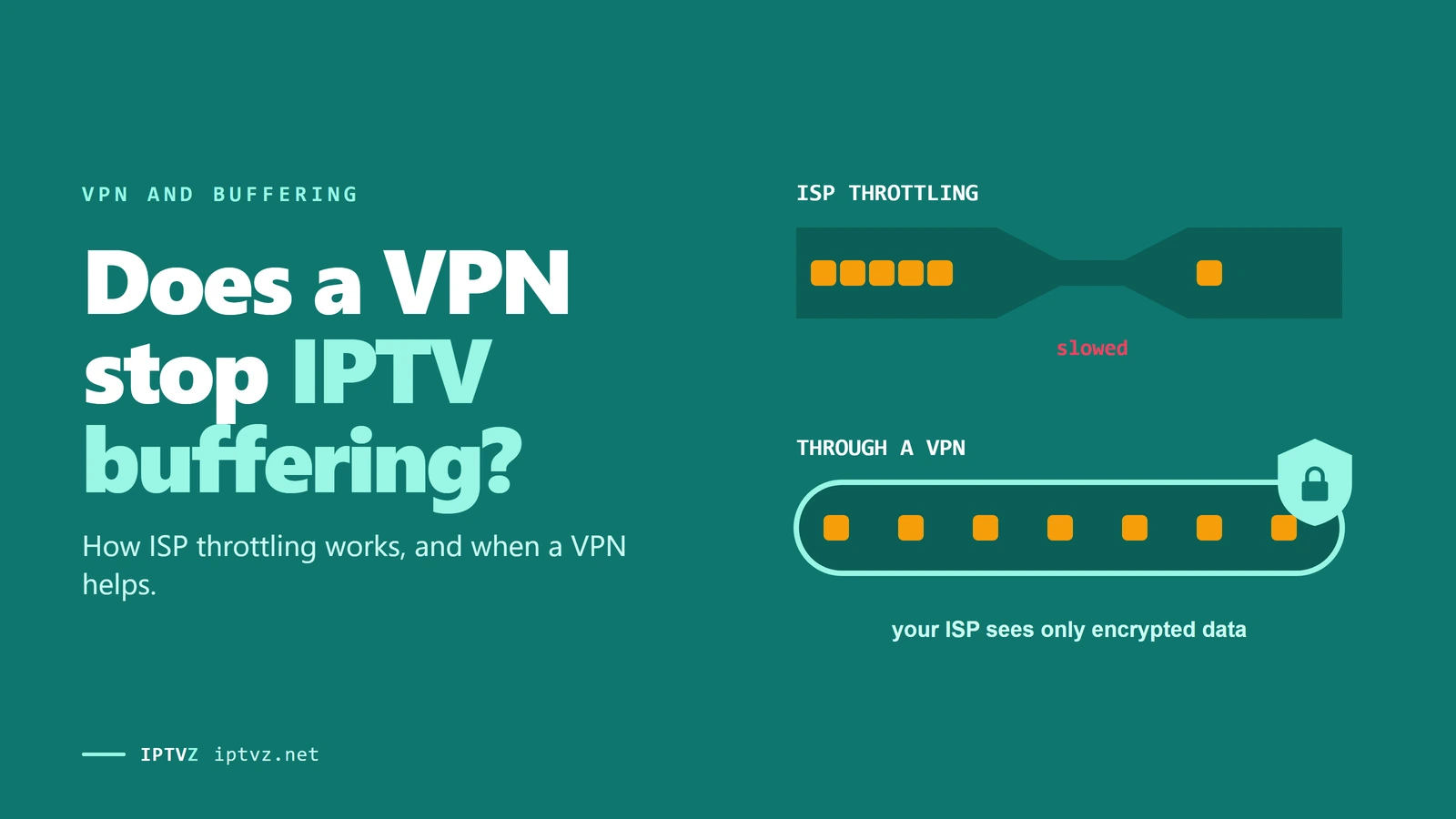
"Use a VPN" may be the most common advice people get when IPTV buffers. Sometimes it works. Often it does nothing, and sometimes it makes things worse. It all comes down to one question: is your internet provider really slowing your stream? Here's what the research found about throttling, what it can't tell you, and a simple test that gives you your own answer.
Who wrote this: IPTVZ sells IPTV, not VPNs, and we earn nothing from any VPN. We can't test every internet provider, so we rely on published research, and we say how old it is. We read public Reddit threads without an account and quote users without their usernames.
The short answer: a VPN only helps if your provider is the cause
A VPN stops IPTV buffering only when your internet provider is slowing or blocking that traffic, because the provider can't see what's in the tunnel. It can't fix weak Wi-Fi, a slow device or an overloaded IPTV service, and the extra stop can make buffering worse. The largest study we found saw app-based throttling mainly on mobile networks, not on major US home broadband, though its data is from 2018–19. To find out, watch the same channel at the same time of day with the VPN on and off.
The key point
Throttling is one cause of buffering among many. If a stream is only smooth with a VPN on, your provider may be the cause. If it buffers both ways, it isn't.
This guide is part of our series on IPTV and VPNs. If you want the full list of fixes, see our guide to IPTV buffering.
What ISP throttling is, and what it isn't
Throttling is when your internet provider deliberately slows some of your traffic. It's easy to confuse with three other things that feel the same on screen:
| What's happening | What it looks like | Will a VPN help? |
|---|---|---|
| Throttling by app or server | One service is slow while the rest of your internet is fine | Often |
| Busy network | Everything slows in the evening | Rarely; the road is still crowded |
| Data cap reached | Everything slows late in your billing cycle | No; your provider still counts the data |
| Busy IPTV server | IPTV buffers during big games while other sites stay fast | No; the problem is at the other end |
The last row trips up a lot of people. It looks just like throttling, because only IPTV suffers and it happens at busy times. Our guide to reliable IPTV explains why big games strain a service.
What the research found
The largest study we found is a 2019 paper from Northeastern University and others. It used more than a million tests from 126,249 people running the Wehe app. The app replays recorded traffic from apps like YouTube, then plays a scrambled copy of the same size, and compares the two.
- Most providers showed no app-based throttling. Of the 144 providers with enough data, 30 treated some apps differently. The authors name major US home broadband such as Comcast among those where they didn't detect it.
- In the US, it was mainly a mobile issue. The big wireless carriers were on the list, along with some satellite and fixed-wireless providers.
- Limits were low. The most common was 1.5 Mbps, which isn't enough for HD. Some carriers let the first few seconds run at full speed, then cut it.
- It was often poorly disclosed. The authors found practices that were "poorly disclosed, falsely denied (by one ISP)", and that changed during the study.
How did the providers spot the traffic? They read names that weren't encrypted, such as "nflxvideo.com". That's why a VPN worked: inside the tunnel, there's no name to read.
How name-based throttling worked in the study
Keep the limits in mind. The tests are from 2018 to January 2019, and internet encryption has changed since. The app can't detect every kind of slowdown either. The authors say some providers may throttle "using methods other than content-based differentiation", such as by IP address or monthly data use, so "not detected" doesn't mean "never".
You can run the Wehe app yourself on Android or iPhone. It tests named apps such as YouTube, so it can tell you about your connection in general, but not about an IPTV service.
Does that apply to IPTV?
Nobody has published a study on IPTV that we could find, so what follows is our reasoning, not a finding. The rules in the paper looked for specific big services. An unbranded IPTV server isn't Netflix, so a name rule wouldn't obviously catch it. That's one reason to doubt the claim that your ISP is "almost certainly" throttling your IPTV, which is how many VPN and IPTV sites put it.
There are two catches. One rule in the study looked for the word "video" in plain web traffic, and some IPTV streams use plain HTTP, so a rule like that could catch them. Providers can also act on a server's address, and the study couldn't see that. Reddit users do report provider blocks, mostly outside the US. As one user explained: "ISP can see what you are streaming if it's http."
So your provider slowing IPTV isn't impossible. But you shouldn't assume it. Test for it.
The on-and-off test
This takes about 20 minutes and works on any service. Do it when your channels usually buffer.
- Pick one channel and one time
Use the channel that buffers most, at the time it buffers most. Changing either spoils the test.
- Watch for 10 minutes with the VPN off
Count the freezes. Make sure nobody at home is running a big download.
- Connect a VPN server near you, and watch for 10 minutes
Use the same channel, on the same device. Count the freezes again.
- Repeat on another day
One evening can mislead you, because servers and networks change hour by hour.
- Try a phone hotspot if you can
Reddit users suggest connecting your device to your phone's mobile data. If it plays fine there and not at home, look at your home connection or provider. Watch your phone's data use.
What your result means
What Reddit users found
We've hand-coded 123 top-level Reddit answers on IPTV buffering, and 33 brought up a VPN, more than any other cause or fix. But only a few reported what happened when they tried it, and results went both ways.
- Sometimes it works. "My isp does mess with the streams sometimes, so yeah I use a VPN. usually fixes it straight away."
- Sometimes it does nothing. One Verizon Fios user added a VPN on advice from the thread and reported: "It hasn't made a difference yet".
- Sometimes it's worse. Five answers said a VPN made things worse or that turning it off helped. One user's stream was "almost flawless" with the VPN off.
- The sensible answer was the plain one. "Depends on what the issue is. If it's your local network, nope." The same answer ruled out a slow connection and a throttling IPTV provider.
When a VPN doesn't help, look at the fixes that do. Our buffering guide covers Wi-Fi, Ethernet, apps and devices. If you're shopping around, compare services at busy times with a trial. If a VPN stops your IPTV altogether, see why a VPN can block IPTV.
Is throttling legal in the US?
There's currently no federal net neutrality rule against it. In January 2025, a federal appeals court struck down the FCC's 2024 rules, which had never taken effect. Some states, such as California, have their own laws. We aren't lawyers, and this can change, so check your state's rules and your provider's terms. Providers also manage traffic for reasons they say are technical, and plans often describe limits in the fine print.
With IPTVZ, a VPN isn't required, and we don't recommend a brand. If channels buffer, contact us by live chat or email and tell us the channel and the time. We'd rather check it than have you buy a VPN you don't need.
People also ask
These are the questions Google showed for "does a VPN help with IPTV buffering", "ISP throttling" and "how to tell if ISP is throttling" on November 5, 2026 (US settings, results not personalized). Each one gets a straight answer first.
Should you use VPN when using IPTV?
Only if it fixes a real problem or you want the privacy. You don't need one for IPTV to work. Run the on-and-off test, and keep the VPN only if it clearly helps.
How to get IPTV to stop buffering?
Start at home: use Ethernet or better Wi-Fi, restart your device, and check your speed on that device. Then test another app and another channel. If it still buffers at busy times, the service may be overloaded. Our buffering guide has every fix.
Is there an IPTV that doesn't buffer?
No service is free of buffering, whatever the ads promise. Good ones do it rarely, even during big games. Use a trial at a busy time to judge one. Our guide to reliable IPTV shows how.
How do I tell if my ISP is throttling me?
Compare the same thing with a VPN on and off, at the same time of day. If only one service is slow and it's fine through a VPN, throttling is possible. The free Wehe app tests named apps like YouTube on your connection.
How do I stop my ISP throttling?
First confirm it's happening, then read your plan, because a data cap or a limit may be in your terms. You can ask your provider, change plans or providers, or try a VPN if the slowdown is aimed at certain traffic. A VPN won't lift a data cap.
Is it legal for my ISP to throttle my internet?
There's no federal net neutrality rule against it right now, though some states have their own laws. A court struck down the FCC's 2024 rules in January 2025. We aren't lawyers, so check your state and your plan.
Can an ISP throttle speed?
Yes. Providers can slow certain traffic, or all of it after you use a set amount of data. In a 2019 study, 30 of 144 providers treated some apps differently, most often at 1.5 Mbps.
More questions about VPNs and buffering
Why does IPTV buffer in the evening?
Because more people are online. That could be your local network, or the IPTV service during big games. It doesn't have to be throttling, so test before you assume it is.
Does a VPN increase internet speed?
No. It usually costs some speed. It can only seem faster if something was slowing your traffic on the normal route.
Does a speed test show throttling?
Not on its own. A speed test measures one connection to a test server, so it can look fine while a stream is slow. Compare the stream itself with the VPN on and off.
Which VPN server should I use for IPTV?
One in your own country and close to you. A distant server adds delay to every channel.
Does throttling happen on Starlink or mobile data?
Mobile plans are where the 2019 study found the most, but it's old data. Plans differ, so read yours, and look for wording about video quality or data limits.
Sources and data
- Li, Niaki, Choffnes, Gill and Mislove, A Large-Scale Analysis of Deployed Traffic Differentiation Practices, ACM SIGCOMM 2019. Data from 2018 to January 2019.
- Wehe, Northeastern University, read November 5, 2026.
- NPR, "Net neutrality is struck, ending a long battle to regulate ISPs like public utilities", January 3, 2025; Perkins Coie, "Why the FCC's net neutrality rules were struck down". Current state laws not checked one by one.
Show all 6 sourcesShow fewer
- IPTVZ, Reddit threads on IPTV buffering: 123 top-level answers hand-coded, November 4–5, 2026. Plus 56 threads about VPNs and IPTV read on November 5, 2026, without an account. Users quoted without usernames; no sellers named.
- IPTVZ, Google results and "People also ask" questions for "does a VPN help with IPTV buffering", "ISP throttling" and "how to tell if ISP is throttling", US settings, collected November 5, 2026.
- IPTVZ keyword research: Semrush US data for throttling and VPN searches, collected November 5, 2026.
Test it on your own TV
Which IPTVZ plan is right for you?
Both plans carry the same channels, movies and sports, with the same 48-hour money-back guarantee. Pick one and order right here.
Standard
- 19,000+ live channels, including 830 US local stations
- 80,000+ movies & series on demand
- NFL, NBA, MLB, NHL & PPV events
- 24/7 support by chat & email
$29.99
$10.00/mo · billed once
VIP
- Everything in Standard, plus:
- Free Hot Player or EBO Player activation for 1 year
- Premium Server
- Faster, priority support
$44.99
$15.00/mo · billed once
Not ready to buy? Start a free trial, no credit card needed.
- 48-hour money-back guarantee for technical issues
- Pay by card, crypto, bank transfer, Cash App and more
- Up to 5 devices and plans up to 5 years on the pricing page
Sources
- dd.meddle.mobi: A Large-Scale Analysis of Deployed Traffic Differentiation Practices dd.meddle.mobi
- wehe.meddle.mobi: Wehe wehe.meddle.mobi

Discover more
Explore our other guides & insights
From device setup guides to channel overviews: find everything you need to stream smarter.