

IPTV Guide Not Loading? How to Fix a Blank or Wrong EPG
EPG not loading? Your channels play, but the guide is blank, wrong or stuck. It's a common problem, and the fix depends on which of a few causes you have. We went through 15 Reddit threads where a guide stopped working and counted what fixed it or got the blame. Here's how to find your cause in a few minutes.
Who wrote this: IPTVZ sells IPTV, and this advice applies to any service, ours included. We read public Reddit threads without an account and quote users without their usernames. App menus change between versions, so look for the nearest match.
The short answer: wait, refresh, check the clock, then check the source
If your EPG is not loading, give it 5 to 15 minutes, then refresh the EPG in your app. If the times are wrong, set your device's clock and time zone to automatic. If it's still empty, check that a guide source is connected to your playlist, and test the link in a browser. If it worked before and stopped on every device, the guide source itself is probably down, so ask your IPTV service. Remember that 24/7 and PPV channels have no guide at all.
The key point
The guide is separate from the video. Channels that play fine with an empty guide usually point to the guide source, not to your internet.
This guide is part of our series on what a good IPTV TV guide looks like. For other faults, see our IPTV troubleshooting guide.
Find your problem
Start from what you see on screen. Each kind of failure has a likely cause.
From what you see to what to do
The fixes, in order
- Give it time
A first load often takes 5 to 15 minutes. Keep the app open while it downloads.
- Refresh the guide
In TiviMate, update the EPG from the EPG settings. In IPTV Smarters, choose Update EPG on the dashboard (some versions say Install EPG). Some services limit how often you can refresh, so don't keep pressing it.
- Fix the clock
If the listings are hours off, set the date, time and time zone on your device to automatic, then refresh.
- Check that a source is connected
In TiviMate, go to Settings, Playlists, select your playlist, open EPG sources and check it's switched on. After an update or a reset, it can end up switched off.
- Test the link in a browser
If you use an EPG URL, paste it into a browser. If a file downloads, the link is fine. If it fails, your login may have expired, or the source may be down. One user fixed theirs by changing the address from https to http, so try that too.
- Check your login address
If your service changed its server address, an old guide link can keep pointing to the old one. Update the playlist, or remove it and add it again.
- Clear the app's cache
Force stop the app, clear its cache (not its data), and open it again. Several users got their guide back this way.
- Try another app
Load the same login in a second player. If the guide works there, the problem is the first app or its version. If it fails there too, look at the source.
- Test with and without a VPN
Some users found that their internet provider blocked the update, while others found the VPN was the cause. One had to "turn on VPN to update playlist and EPG". Try it both ways.
What fixed it for people on Reddit
On November 5, 2026, we read 43 Reddit threads about IPTV guides, without an account. In 15 of them, a guide had stopped or come up empty, and we coded the 87 top-level answers that blamed something or suggested a fix. An answer could count more than once.
- 37 answers pointed at the provider or its guide data. That's the largest group by far, and it's why step 8 above matters: if a second app fails too, stop changing settings.
- 18 suggested adding a separate guide. It can fill a gap while you wait. See our guide to EPG sources.
- 16 pointed at the link or setup. A source that was switched off, a changed address, or channels that needed assigning. These are the easiest to fix.
- 14 pointed at the app. Clearing the cache or reinstalling helped some users, and a few found a bug in one app version: one wrote that the same source updated fine in another player.
- 7 pointed at a VPN or the internet provider. It's the least common cause, and it can go either way.
What 87 Reddit answers blamed when a guide stopped loading
The one test that tells you where to look
Four answers made a point worth keeping: some empty channels are normal. As one user put it, the guide "is matched to each channel by an ID, and lots of channels either don't have one or it doesn't match the EPG file". Fix the channels you watch and leave the rest.
When it's the provider, and what to tell them
If the guide fails on every device and in more than one app, there's nothing left to fix at home. One user's provider guide "was down for two weeks, then just started working again". Others were told it was being updated. Send your service a short note in writing with:
- the app and device you use;
- when the guide stopped;
- whether it's every channel or some of them, with two or three channel names;
- what you already tried.
While you wait, a second guide source can fill in the gaps, as our guide to EPG sources explains. If a guide fails often, weigh that when you renew. A guide that keeps breaking is a reliability problem, and our guide to reliable IPTV shows how to test for it.
With IPTVZ, guide data depends on what's available for each channel. Contact us by live chat or email with the details above, and check which channels have guide data on our channels page.
People also ask
These are the questions Google showed for "IPTV EPG not working" on November 5, 2026 (US settings, results not personalized). Each one gets a straight answer first.
Why isn't my IPTV EPG guide loading?
Usually because it's still downloading, no source is connected, or the source is down. Wait 5 to 15 minutes and refresh. Then check that your playlist has a guide source and that the link works in a browser. If it stopped on every device, ask your service.
How do I get EPG on IPTV?
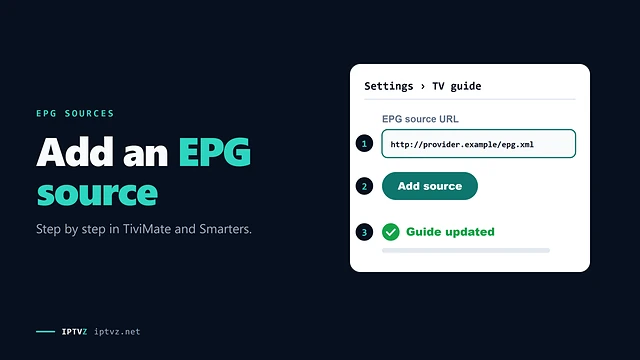
Sign in with a username and password, and most apps load the guide themselves. With an M3U link, add an EPG URL in the app's EPG settings. Our guide to EPG sources has the steps for TiviMate and IPTV Smarters.
How to update EPG on IPTV?
Use the update option in your app: the EPG settings in TiviMate, or Update EPG on the dashboard in IPTV Smarters. Most apps also update on a schedule. Give a large guide a few minutes, and don't keep pressing it, because some services limit updates.
Why won't my EPG work?
The most common causes are a guide source that's down, a source that isn't connected, or channel IDs that don't match. Check the clock too if the times are wrong. A channel with no schedule, such as a 24/7 loop or a PPV slot, won't ever show a guide.
More questions about EPG problems
Why does my guide say "no information"?
Either the channel has no schedule, or the listing doesn't match the channel's ID. On a regular channel, try assigning the guide by hand or adding a source that covers it.
Why are my EPG times wrong?
Almost always the device's clock or time zone. Set both to automatic and refresh. If it's still off, your app may have a time offset for the guide, so check its EPG settings.
Why did my TiviMate EPG stop updating?
Usually the source is down, or the source got disconnected from your playlist. It can also be a bug in an app version. Test the link in a browser, then try another app to see which one it is.
Why does the guide work on one device and not another?
Then the source is fine, and the problem is the app or its settings on that device. Check the source is switched on there, clear the app's cache and compare the app versions.
Does a blank guide mean my subscription ended?
No, not if your channels still play. The guide and the video are separate. If channels stop too, check your login and expiry date.
Sources and data
- IPTVZ, 43 public Reddit threads about IPTV guides, read without an account on November 5, 2026; 87 top-level answers in 15 threads where a guide failed coded by hand. Users quoted without usernames; no sellers named.
- IPTVZ US channel lineup, October 7, 2026: guide data by channel, as published on our channels page.
- IPTVZ, Google results and "People also ask" questions for "IPTV EPG not working", US settings, collected November 5, 2026.
- IPTVZ keyword research: Semrush US data for EPG problem searches, collected November 5, 2026.
Test it on your own TV
Which IPTVZ plan is right for you?
Both plans carry the same channels, movies and sports, with the same 48-hour money-back guarantee. Pick one and order right here.
Standard
- 19,000+ live channels, including 830 US local stations
- 80,000+ movies & series on demand
- NFL, NBA, MLB, NHL & PPV events
- 24/7 support by chat & email
$29.99
$10.00/mo · billed once
VIP
- Everything in Standard, plus:
- Free Hot Player or EBO Player activation for 1 year
- Premium Server
- Faster, priority support
$44.99
$15.00/mo · billed once
Not ready to buy? Start a free trial, no credit card needed.
- 48-hour money-back guarantee for technical issues
- Pay by card, crypto, bank transfer, Cash App and more
- Up to 5 devices and plans up to 5 years on the pricing page
Discover more
Explore our other guides & insights
From device setup guides to channel overviews: find everything you need to stream smarter.