

What Is an EPG? The TV Guide Explained
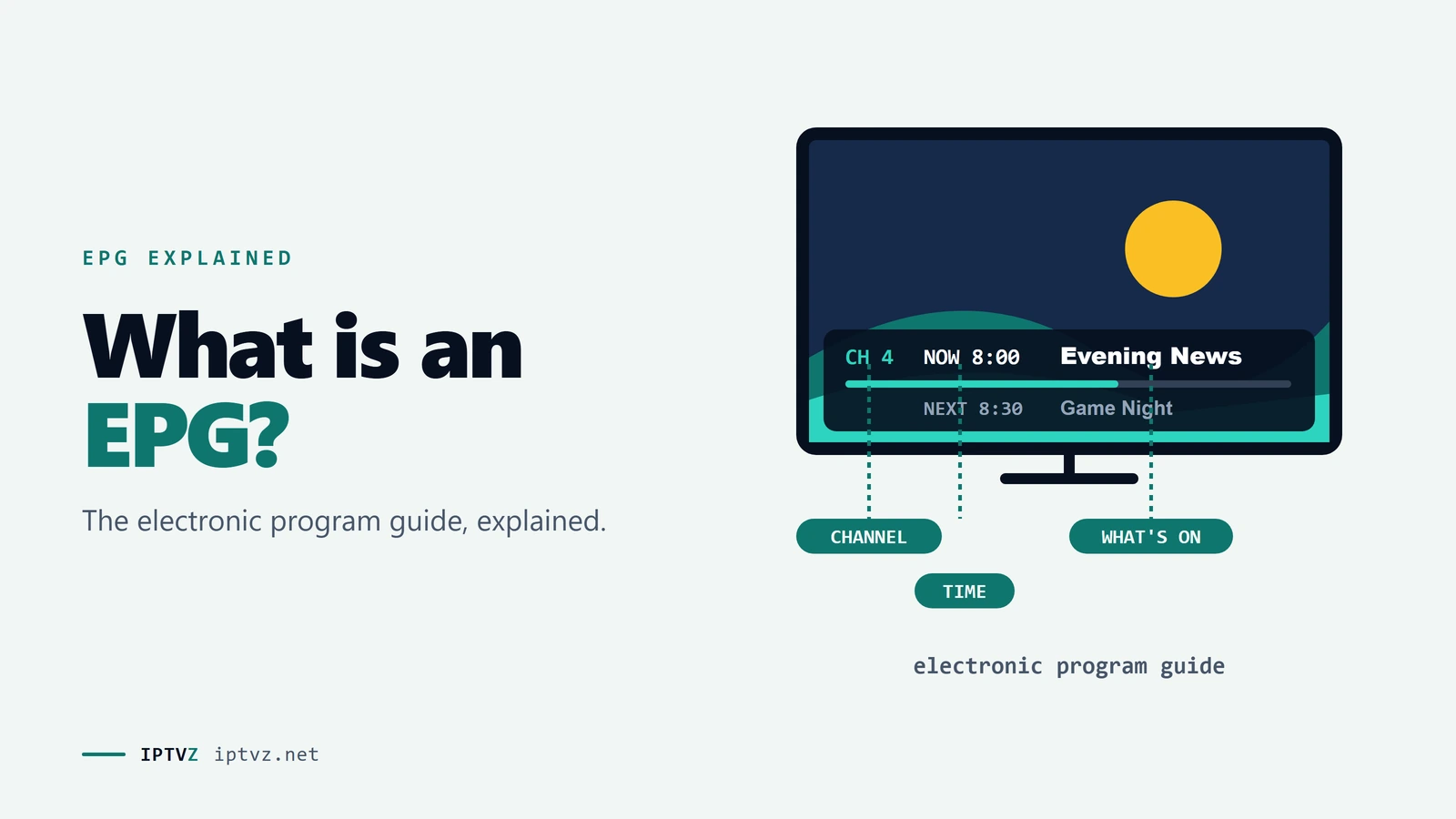
What is an EPG? It stands for electronic program guide: the on-screen grid that shows what's on each channel now and next. That's the short version. Here's how the guide data reaches your TV, what's in a good one, how it differs between cable, antenna and IPTV, and what the word means if you found it somewhere else.
Who wrote this: IPTVZ sells IPTV, and our service includes a TV guide for regular channels. This page explains how guides work in general and uses our lineup as an example. We don't name any other seller.
The short answer: an EPG is the TV guide on your screen
EPG stands for electronic program guide. It's the on-screen guide that lists what's on each channel, usually as a grid with channels down the side and times across the top. You use it to see what's on now and next, read a short description of a show, and jump to a channel. Cable boxes, antenna TVs and IPTV apps all have one. The schedule itself is data that travels separately from the video, which is why a channel can play perfectly and still show an empty guide.
The key point
The picture and the guide are two different things. A channel plays from its stream, but the guide comes from a schedule file that has to be matched to that channel.
This guide is part of our series on what a good IPTV TV guide looks like. If yours is blank right now, go to how to fix an EPG that isn't loading.
What's in an EPG
Every guide looks a little different, but they share the same parts. Here's what each one does.
The parts of an EPG
- Now and next. What's playing on each channel and what follows it.
- Time grid. Scroll ahead to see later programs. How far depends on the data; some services advertise 7 days.
- Program details. A title, a time and usually a short description.
- Actions. Depending on the app, you can jump to a channel, set a reminder, record, or start a recent show again if the service offers catch-up.
How guide data reaches your TV
Nobody types the guide into your TV. Broadcasters publish their schedules, listing companies collect them, and the data is delivered to your device in a file or a data stream. Your device then lines it up with your channels and draws the grid.
From a broadcaster's schedule to the guide on your TV
The idea is older than most people think. According to Wikipedia's history of the EPG, the first service in North America launched in 1981 as a cable channel. Interactive guides came in the following decade, when set-top boxes could build the grid themselves.
EPG on cable, antenna and IPTV
| Service | Where the guide comes from | Who fixes it |
|---|---|---|
| Cable or satellite | Your provider sends it to the box, usually from a listings company | Your provider |
| Antenna | Carried in each station's broadcast signal | Each station; your TV reads what it receives |
| Live TV streaming apps | Built into the app | The service |
| IPTV | A guide file from your IPTV service, or one you add yourself | Your service, or you if you added it |
IPTV is the odd one out. It's the only one of the four where you might handle the guide yourself, which is why people search for EPG sources and EPG URLs at all.
How an EPG works on IPTV
On IPTV, the guide is a separate download from the channels. With a username-and-password login (Xtream Codes), the app usually fetches it for you. With an M3U playlist link, you may need to add an EPG URL as well. The app then matches each listing to a channel using an ID. When an ID is missing or different, that channel shows "no information" even though everything else is working.
Not every channel can have a guide. A 24/7 channel that loops one show has no real schedule, and a pay-per-view slot only has content during an event. That's why, in our own US lineup of October 7, 2026, 1,623 of 1,625 regular channels have guide data, while the 4,034 channels in the 24/7 categories and 279 PPV slots have none. We go through what that means in our guide to IPTV TV guides.
The first load also takes time: often 5 to 15 minutes while the app downloads and sorts the data. To add a guide yourself, see EPG sources and URLs. For more on logins, see our Xtream Codes and M3U guide.
Other meanings of EPG
If a search brought you here from somewhere that has nothing to do with TV, you may be after one of these. In food labels, EPG is usually esterified propoxylated glycerol, a fat replacement. It's also an abbreviation in medicine and business. This page only covers TV, so for anything about an ingredient, check a food or health source.
People also ask
These are TV questions Google showed for "what is EPG", "IPTV EPG" and "TiviMate EPG" on November 5, 2026 (US settings, results not personalized). Each one gets a straight answer first.
What is the EPG on my TV?
It's the on-screen guide that shows what's on each channel now and later. You usually open it with a Guide or EPG button on the remote. On an antenna TV, it fills in from the broadcast signal, so it may take a little time after a channel scan.
What is the EPG on IPTV?
It's the TV guide inside your IPTV app, built from a guide file your service provides or one you add. The app matches each listing to a channel by ID and draws the grid. If there's no match, the channel still plays but shows no information.
What is EPG on Fire Stick?
On a Fire Stick, the EPG is the guide inside whichever TV or IPTV app you're using. The Fire Stick itself doesn't supply it. In an IPTV player, it comes from your service or an EPG URL, and the app downloads it the first time you sign in.
What is EPG on TiviMate app?
It's TiviMate's TV guide: the grid it builds from the guide data of your playlist. TiviMate is only a player, so it doesn't provide channels or listings itself. The data has to come from your service or from an EPG source you add. Our guide to EPG sources shows how.
What is EPG and is it safe?
In TV, an EPG is simply a program guide, and the guide data itself is harmless. People asking this are often thinking of EPG the food ingredient, which this page doesn't cover. On IPTV, the usual advice applies: only add guide links from sources you trust.
More questions about EPG
What does EPG stand for?
Electronic program guide. You may also see "EPG" spelled out as electronic programme guide in British English, or simply called the TV guide.
Is EPG the same as a TV guide?
Yes. EPG is the technical name for the on-screen TV guide. The term is most common in IPTV apps and on TV remotes.
What is XMLTV?
XMLTV is a common file format for TV listings, and many IPTV apps can read it. A guide link, or EPG URL, usually points to an XMLTV file. Our guide to EPG sources explains how to use one.
How far ahead does an EPG go?
It depends on the data. Some sellers advertise 7 days, and many guides show a few days ahead. A channel with no fixed schedule won't show anything.
Why does my guide say no information?
Usually because the listing couldn't be matched to the channel, or that channel has no schedule, such as a 24/7 loop or a PPV slot. Our guide to EPG problems covers the fixes.
Sources and data
- Wikipedia, Electronic program guide, read November 5, 2026.
- IPTVZ US channel lineup, October 7, 2026: guide data by channel, as published on our channels page.
- IPTVZ, websites of 72 IPTV sellers found in Google for US buying searches: 533 pages saved and checked, US connection, October 30–31, 2026. Mentions of an EPG or TV guide counted by keyword.
- IPTVZ, Google results and "People also ask" questions for "what is EPG", "IPTV EPG" and "TiviMate EPG", US settings, collected November 5, 2026.
- IPTVZ keyword research: Semrush US data for EPG searches, collected November 5, 2026.
Test it on your own TV
Which IPTVZ plan is right for you?
Both plans carry the same channels, movies and sports, with the same 48-hour money-back guarantee. Pick one and order right here.
Standard
- 19,000+ live channels, including 830 US local stations
- 80,000+ movies & series on demand
- NFL, NBA, MLB, NHL & PPV events
- 24/7 support by chat & email
$29.99
$10.00/mo · billed once
VIP
- Everything in Standard, plus:
- Free Hot Player or EBO Player activation for 1 year
- Premium Server
- Faster, priority support
$44.99
$15.00/mo · billed once
Not ready to buy? Start a free trial, no credit card needed.
- 48-hour money-back guarantee for technical issues
- Pay by card, crypto, bank transfer, Cash App and more
- Up to 5 devices and plans up to 5 years on the pricing page
Sources
- en.wikipedia.org: Electronic program guide en.wikipedia.org

Discover more
Explore our other guides & insights
From device setup guides to channel overviews: find everything you need to stream smarter.