

Paying for IPTV: Payment Methods, Refunds and Cancelling
Most IPTV services take a card, PayPal or crypto. The method you pick matters less on the day you pay than on the day something goes wrong: some payments can be disputed, others are gone the moment they leave. We checked which methods 72 IPTV seller websites name, read the payment threads on Reddit and the US consumer rules, so you can pay, get a refund and cancel without surprises.
Who wrote this: IPTVZ sells IPTV and takes several of the payment methods below, so keep that in mind. Our own methods and refund terms are in a separate section. We don't name other sellers or marketplaces, and we read public Reddit threads without an account.
The short answer: pay with a method you can dispute
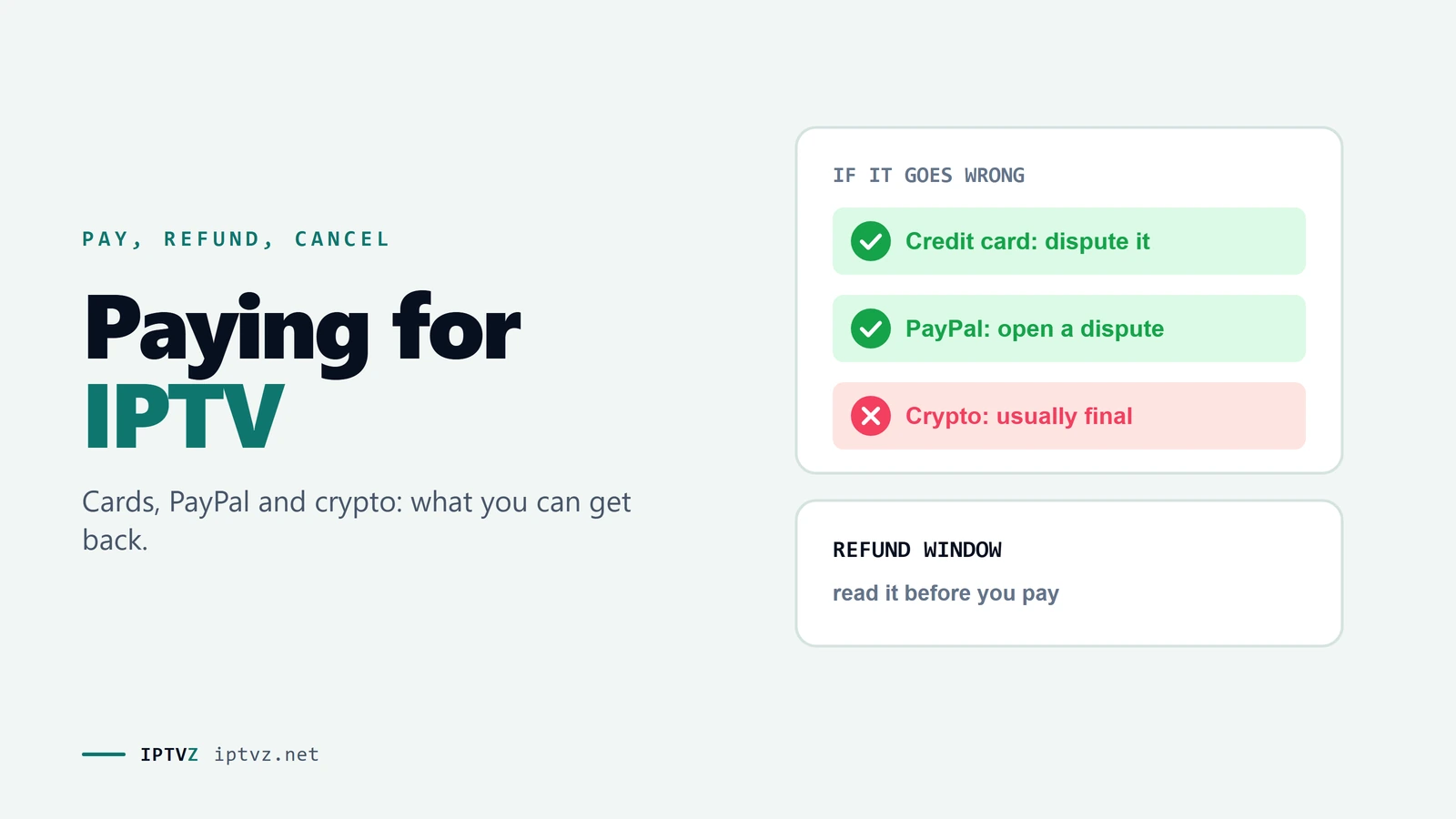
You can pay for IPTV with a credit or debit card, PayPal, Apple Pay or Google Pay, crypto or a bank transfer, depending on the seller. Of the 72 IPTV seller websites we checked, 31 named their payment methods before checkout: 21 named cards, 20 PayPal and 16 crypto. If you care about getting money back, a credit card is the strongest choice, because US law lets you dispute a charge in writing. Crypto payments usually can't be reversed. And a seller that asks for gift cards is a warning sign.
The key point
Privacy and protection pull in opposite directions. The payments that keep your card details private are usually the ones you can't take back.
This guide is part of our explainer on how an IPTV subscription works. If you want to see what IPTV costs first, read monthly vs yearly plans.
What payment methods IPTV sellers accept
We read the saved pages of 72 IPTV seller websites that came up in Google for US buying searches, about seven pages each, crawled from a US connection on October 30–31, 2026. A method counts only where the seller says it takes it: in a "we accept" line, a payment logo or its structured data. Warnings such as "avoid gift cards" don't count.
Payment methods named by 72 IPTV seller websites
The bigger finding is what's missing: 41 of the 72 sites didn't name any payment method on those pages. You find out at checkout or in a chat. Checkout pages weren't part of our crawl, so these counts are a minimum, but a buyer should be able to see how they'll pay before giving out an email address.
Getting your money back: what each method allows
Here's what happens if the service never arrives or stops right after you pay, based on guidance from the Federal Trade Commission (FTC) and the Consumer Financial Protection Bureau (CFPB). Your card issuer, bank or wallet sets the exact rules.
How easy it is to get your money back
| Method | What you can do |
|---|---|
| Credit card | Call the card company, then send a written dispute within 60 days of the charge appearing on your statement (CFPB) |
| Debit card | Contact your bank right away and ask how it handles disputes |
| PayPal and other wallets | Open a dispute in the wallet, following its own terms and time limits |
| Bank transfer | Call your bank at once; money already sent is hard to pull back |
| Crypto | "Cryptocurrency payments typically are not reversible" (FTC) |
| Gift cards | Report it to the gift card company right away and ask for your money back (FTC) |
One thing a card dispute can't fix: it covers the charge, not the service. If a seller's service stops in month four of a yearly plan, the 60-day window may already be closed. That's one more reason to start with a short plan.
Not sharing your card: what Reddit users do
"I don't think I want to share a credit card with them," one Reddit user wrote in October 2026, and asked how everyone pays for IPTV. We sorted the 18 real answers by method:
"How does everyone pay for their IPTV?" 18 answers
11 of the 18 answers use crypto or gift cards, which keep a card number away from the seller but give up the protection in the table above. There's a middle way: a single-use or virtual card number from your bank or card issuer. Your real card number stays private, and it's still a card payment, so ask your issuer how disputes work for it.
Paying with crypto without losing it
Crypto is fast, and many sellers confirm it automatically. It's also the least forgiving method: a mistake usually can't be undone. In two of the payment threads we read, the problem was how the coin was sent:
Three checks before you send crypto
- Network mismatch. One buyer sent coins that "nothing has seemed to process". The reply: "you need to make sure the 'network' you pick in your wallet matches the 'chain'" on the order form.
- Payment never credited. Another paid in a stablecoin on a less common network. The order never updated, and the refund came back minus the network fee.
If your exchange charges a withdrawal fee, add it on top so the full amount arrives. Keep the transaction ID: it's the only proof a crypto payment has.
Paid, but nothing arrived
Most "I paid and got nothing" cases have a simple cause. Go through these before you pay a second time:
- Check the charge went through
A pending authorization that disappears after a few days isn't a payment. Look for a completed charge in your bank or wallet.
- Check spam and every inbox
Login emails often land in spam or promotions. Search for the seller's name.
- Send your proof, if the seller asked for it
Many sellers confirm card, wallet and bank payments by hand. Reply to the order email with a screenshot of the receipt.
- Wait for bank transfers
A transfer counts when the money arrives, not when you send it. That can take a business day or more.
- Contact support with your order number
Never pay twice without checking first. One confirmed payment is all an order needs.
Two more cases from Reddit to learn from. One buyer paid an invoice through a third-party payment page; it never updated on the seller's site, and support hadn't answered after more than 24 hours. Another topped up a marketplace wallet, then found the balance couldn't be spent on IPTV without sending a photo ID.
Refunds: what IPTV sellers promise
36 of the 72 seller websites promise a refund or money-back guarantee, and 25 put a time limit on it in writing. Seven days is the most common:
| Refund window | Seller websites |
|---|---|
| 24 hours | 3 |
| 48 hours | 1 |
| 7 days | 17 |
| 14 to 30 days | 8 |
| Promise with no window stated | 11 |
| No refund promise found | 36 |
Some sites state more than one window, for example a longer one on yearly plans. The headline window is only half the story. Several refund policies we read exclude refunds once the line has been activated or used. Before you pay, read the policy page itself, not the badge on the pricing card, and keep a copy.
The cheapest refund is the one you never need. A free trial answers most refund questions, such as whether your channels and your device work, before any money moves.
Cancelling an IPTV subscription
Most IPTV plans are paid once for a fixed length, so there is nothing to cancel: the plan simply ends on its end date unless you renew. At least 14 of the 72 seller websites say in writing that their plans don't renew automatically. If you were billed as a subscription, cancel where the payment comes from, and keep the confirmation.
- Paid by card or PayPal on a repeating plan: ask the seller to cancel in writing, then check your wallet's or card's list of automatic payments.
- A player app's paid plan, bought through Google Play: open the subscriptions page in Google Play, choose the subscription and tap Cancel subscription. "When you uninstall the app, your subscription won't cancel," Google says.
- A player app on iPhone or iPad: in Settings, tap your name, then Subscriptions, the subscription and Cancel Subscription.
Remember that the player app and the IPTV service are two separate payments. Our guide to Smarters and TiviMate subscriptions explains which is which.
Payment red flags
These signs on a seller's site or in its messages are reasons to stop before you pay:
- Gift cards only. "No real business or government agency will ever tell you to buy a gift card to pay them," the FTC says.
- Crypto only, with no other option and no refund policy. You give up every way to get money back.
- No payment method shown until you've handed over your details. 41 of the 72 sites didn't name one before checkout.
- A payment to a person, with no order number or receipt. Without an order record, you can't prove what you bought.
Our guide to IPTV scams covers the other warning signs, from lifetime deals to missing contact details.
Paying for IPTVZ
Here's how payment works at IPTVZ, as one example. All prices are in US dollars, and the total at checkout is the full amount:
| Method | How it works |
|---|---|
| Card: Visa, Mastercard, American Express, Discover | A secure payment link by email |
| Apple Pay, Google Pay, Cash App Pay | A secure payment link by email |
| Pay later: Klarna, Affirm, Afterpay | A payment link; the pay-later provider decides approval |
| Crypto: Bitcoin, USDT and more | An invoice right after checkout, confirmed automatically |
| Binance Pay | Sent in the Binance app, then a screenshot by reply |
| US bank transfer: ACH, Fedwire or SWIFT | US dollars only, with the order number in the memo |
| PayPal, SEPA, iDEAL, Bancontact | Choose Other payment methods; we email a payment link |
- Proof of payment: for every method except the crypto invoice, reply to your order email with the receipt. Once the payment is confirmed, the login usually arrives in less than a minute.
- Payment notes: write only your order number in a memo or note, nothing else.
- No renewals by surprise: plans are billed once and never renew by themselves.
- Refunds: a 48-hour money-back guarantee for technical issues on our side that we can't fix, on new subscriptions. That's shorter than the 7 days many sellers advertise, which is why we offer the free trial first. Eligible refunds are processed within 1 to 5 business days.
The Help Center explains each payment method step by step and the refund policy. Prices are on our plans page.
People also ask
These are questions people search for with "iptv payment", "iptv subscription refund" and "cancel iptv subscription", from Google results on November 6, 2026 (US settings, results not personalized). Each one gets a straight answer first.
How do I pay my IPTV?
Choose a method at the seller's checkout: usually a card, PayPal or crypto, sometimes Apple Pay, Google Pay or a bank transfer. Then follow the seller's instructions, which may include sending a receipt. Pay the exact total, and keep the receipt until your login arrives.
Can I cancel my subscription and get a refund?
You can stop most IPTV plans by not renewing, but a refund depends on the seller's written policy. The most common window we found is 7 days, and some policies exclude refunds once the line is activated. Read the policy before you pay.
How do I deactivate IPTV?
A plan paid once ends on its own on its end date. To stop using it sooner, delete the playlist in your app. If you pay a player app by subscription, cancel it in Google Play or in your Apple subscriptions; uninstalling the app doesn't cancel it.
Can I cancel my subscription immediately?
Yes, you can stop renewing at any time, but the time you've paid for usually isn't refunded. In Google Play, for example, a cancelled subscription keeps working until the end of the period you paid for.
Is IPTV free or paid?
Both exist. Free, ad-supported TV apps and free-to-air streams cost nothing. IPTV services with full channel lineups are paid, usually by the month or year.
Is paid IPTV legal in the USA?
IPTV itself is legal, and licensed TV companies use it. Whether a paid service is legal depends on whether it has the rights to what it streams. Paying doesn't change that. Our guide explains what US law says about IPTV.
More questions about paying for IPTV
Can I pay for IPTV with PayPal?
Often, yes: 20 of the 72 seller websites we checked name PayPal. Some send a PayPal payment link after you order instead of showing it at checkout. At IPTVZ, PayPal is under Other payment methods.
Do IPTV services accept credit cards?
Many do: cards were the most common method we found, on 21 of 72 seller websites. A credit card also gives you the strongest way to dispute a charge.
Is it safe to pay for IPTV with crypto?
It works and it's fast, but you can't take it back. The FTC notes that crypto payments typically aren't reversible. Check the coin, network and amount before you send.
What should I write in the payment note?
Only your order number, if the seller asks for a reference. Extra words make a payment harder to match and can delay your login.
Why was my card declined?
Banks often block a first online payment to a new merchant as a security check. Approve it in your banking app or call your bank, then use the same payment link again.
Sources and data
- IPTVZ, saved pages of 72 IPTV seller websites found in Google for US buying searches (530 pages), crawled from a US connection on October 30–31, 2026. Payment methods and refund windows matched by script and read by hand (seo-research payment_methods.py). No purchases made; no sellers named.
- IPTVZ, 8 public Reddit threads about paying for IPTV from 2026, including the 18 answers in one r/PiracyBackup thread, read without an account on November 7, 2026. Users quoted without usernames; no sellers or marketplaces named.
- Consumer Financial Protection Bureau, "How do I dispute a charge on my credit card bill?", last reviewed April 15, 2024.
- Federal Trade Commission, "What To Know About Cryptocurrency and Scams" (May 2022) and "Avoiding and Reporting Gift Card Scams" (July 2023).
Show all 7 sourcesShow fewer
- Google Play Help, "Cancel, pause, or change a subscription on Google Play", and Apple Support, "If you want to cancel a subscription from Apple" (September 29, 2026), read November 11, 2026.
- IPTVZ Help Center articles on payment methods, payment confirmation, declined payments and refunds, as published on November 11, 2026.
- IPTVZ, Google results and "People also ask" questions for "iptv payment", "iptv subscription refund", "cancel iptv subscription" and related searches, US settings, collected November 6, 2026.
Test it on your own TV
Which IPTVZ plan is right for you?
Both plans carry the same channels, movies and sports, with the same 48-hour money-back guarantee. Pick one and order right here.
Standard
- 19,000+ live channels, including 830 US local stations
- 80,000+ movies & series on demand
- NFL, NBA, MLB, NHL & PPV events
- 24/7 support by chat & email
$29.99
$10.00/mo · billed once
VIP
- Everything in Standard, plus:
- Free Hot Player or EBO Player activation for 1 year
- Premium Server
- Faster, priority support
$44.99
$15.00/mo · billed once
Not ready to buy? Start a free trial, no credit card needed.
- 48-hour money-back guarantee for technical issues
- Pay by card, crypto, bank transfer, Cash App and more
- Up to 5 devices and plans up to 5 years on the pricing page

 Buying guides
Discover more
Explore our other guides & insights
From device setup guides to channel overviews: find everything you need to stream smarter.